Want to test your JavaScript without relying on real APIs or databases?Sinon.js is your go-to tool for creating controlled, reliable tests. It’s a library that lets you replace parts of your code with spies, stubs, and mocks - tools that simulate functions and external dependencies. Here’s why it’s useful and how you can get started:
Key Takeaways:
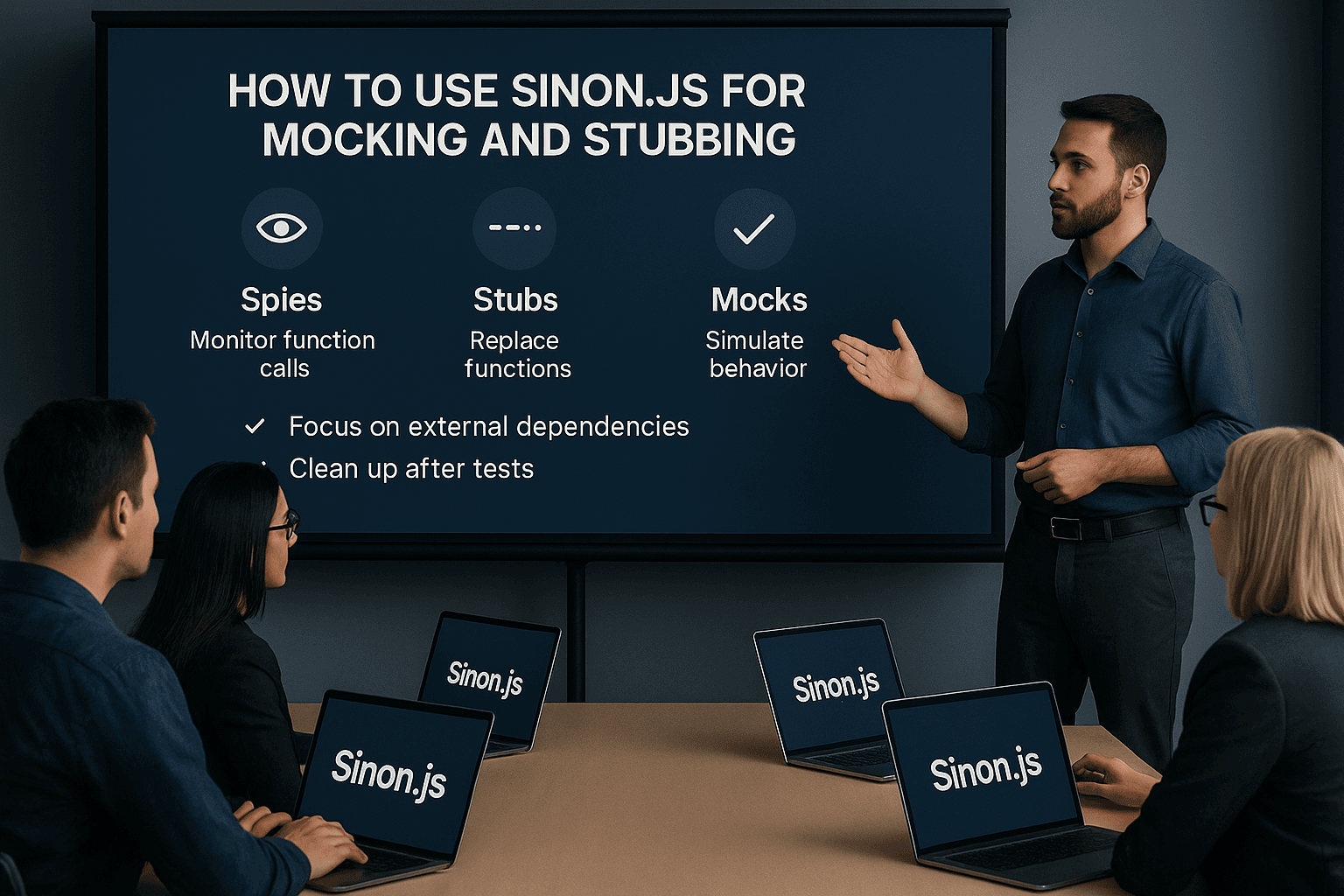
Spies: Monitor function calls (e.g., how many times a function runs and with what arguments).
Stubs: Replace functions to return predefined outputs or simulate errors.
Mocks: Set strict expectations for function behavior and validate interactions.
Works with any testing framework: Compatible with Mocha, Jest, or others.
Time Simulation: Test time-sensitive code like timers or scheduled events.
Always Clean Up: Use sinon.restore() after each test to avoid interference.
Mock Only External Dependencies: Let your internal logic run naturally.
Start Simple: Use spies for basic checks, stubs for control, and mocks sparingly.
With Sinon.js, you can write faster, more reliable tests that focus on your code - not on unpredictable external factors. Ready to dive deeper? Keep reading for setup guides, examples, and advanced tips!
ep4 - Mocking and stubbing with sinon.js in automated tests
Installing and Setting Up Sinon.js
Getting started with Sinon.js is a straightforward process. It involves installing the library, integrating it with your preferred testing framework, and setting up a reliable environment for testing. Here’s a step-by-step guide to help you dive into testing with mocks and stubs.
Installing Sinon.js
Before you begin, make sure you have Node.js and npm (Node Package Manager) installed on your system. Once that’s set, installing Sinon.js is a breeze.
For npm users, simply run:
npm install sinon
This adds Sinon.js to your project's dependencies. If you prefer Yarn, you can install it with:
yarn add sinon
After installation, you can include Sinon.js in your Node.js environment like this:
var sinon = require("sinon");
If you're working on browser-based testing, you have two options:
<script type="module">
import sinon from "./node_modules/sinon/pkg/sinon-esm.js";
</script>
This flexibility allows Sinon.js to fit seamlessly into different development setups.
Using Sinon.js with Testing Frameworks
Sinon.js works well with popular JavaScript testing frameworks. Since it’s a standalone library offering test spies, stubs, and mocks, you can pair it with any framework. Here’s how you can set it up with Mocha and Jest.
For Mocha, you’ll need a few additional packages to get started. Run the following command to install Mocha, Chai for assertions, and Sinon for mocking:
The main difference between Mocha and Jest is that Mocha runs tests sequentially, while Jest runs them concurrently. Jest’s built-in features reduce the need for extra dependencies, whereas Mocha offers more flexibility through its ecosystem of plugins.
Setting Up Your Test Environment
Installing Sinon.js is just the beginning. Proper configuration ensures your tests remain isolated and reliable.
Automatic Cleanup
To avoid interference between tests, automatic cleanup is essential. Wrapping your test functions with sinon.test ensures that spies, stubs, and mocks are automatically cleaned up after each test. When using sinon.test, you should call this.spy, this.stub, and this.mock instead of the global sinon.spy, sinon.stub, and sinon.mock methods.
For asynchronous tests, you may need to disable fake timers to prevent conflicts:
sinon.config = { useFakeTimers: false };
Best Practices for Test Isolation
Restore stubs and mocks after each test: Use beforeEach and afterEach hooks to clean up and maintain test isolation.
Customize Sinon.js behavior: The sinon.config object allows you to tweak default settings to better fit your project’s needs.
Following these steps ensures that your tests remain predictable and unaffected by changes made in other tests. With the right setup, Sinon.js becomes a powerful tool for creating reliable, isolated tests.
Understanding Spies, Stubs, and Mocks
When testing JavaScript applications, Sinon.js offers three key tools: spies, stubs, and mocks. These are collectively known as test doubles and are essential for creating effective, maintainable tests. Each serves a distinct purpose, and knowing when to use which can make your testing process much smoother.
How Spies Work
Spies are the simplest of the test doubles. They observe and record function calls, arguments, and return values without altering the function's behavior. Essentially, they act as a passive observer.
In this example, the spy tracks every call to the greet function, including the arguments passed and whether it was called at all. However, it doesn’t interfere with the function itself.
Spies are ideal for verifying that something occurred, like checking if an event handler was triggered, a callback executed, or a method was called during your program's execution. Once you’re comfortable with spies, you can move to stubs for more control.
Creating and Using Stubs
Stubs take things further by replacing the original function entirely. They allow you to define specific return values or even simulate errors, making them perfect for isolating your code from external dependencies or testing edge cases.
In this case, the stub ensures that getUser always returns a specific value, regardless of the input. This is particularly useful for bypassing external systems like databases or APIs during tests.
Stubs are also great for simplifying asynchronous code, turning complex timing scenarios into predictable, synchronous ones:
By replacing setTimeout with a synchronous version, the test becomes more straightforward and faster to execute.
Working with Mocks
Mocks combine the capabilities of spies and stubs, allowing you to both replace functions and set expectations for how they should behave. They are particularly useful when you need to verify multiple specific interactions.
In this scenario, the mock expects the getUser function to be called exactly once with the argument 2 and specifies the return value. If the expectations aren’t met, the test will fail.
While mocks are powerful, they can lead to overly rigid tests. If your code changes slightly, unrelated to the mocked behavior, the test might still fail. Use mocks sparingly and only when you need to enforce strict interaction rules.
Choosing the Right Tool
Each test double serves a unique purpose:
Spies: Use these to observe and confirm function calls without modifying behavior.
Stubs: Opt for stubs when you need to control function output or handle dependencies.
Mocks: Turn to mocks for verifying complex interactions with detailed expectations.
Understanding these tools and their use cases will help you create cleaner, more reliable tests. In the next section, we’ll explore how to apply these test doubles to streamline testing in real-world scenarios.
sbb-itb-2511131
How to Implement Mocking and Stubbing
Spies, stubs, and mocks are powerful tools for testing, but their effectiveness depends on proper implementation. Below, you'll find practical examples of how to use these test doubles with the right syntax, configuration, and cleanup practices.
Creating and Setting Up Stubs
Stubs in Sinon.js replace real functions with controllable versions, allowing you to define their behavior. Here's a straightforward example of creating a stub that returns a predefined value:
You can also configure stubs to return values based on specific input arguments. This is especially helpful when testing functions with varying inputs:
When testing functions with retry logic or changing behavior, onCall lets you define different responses for consecutive calls:
const stub = sinon.stub(myService, 'unreliableFunction');
stub.onCall(0).throws(new Error('First attempt failed'));
stub.onCall(1).throws(new Error('Second attempt failed'));
stub.onCall(2).returns('Success on third try');
// Test your retry logic here
Stubs are also handy for simulating database interactions and verifying that objects are passed with the correct properties:
it('should pass object with correct values to save', function() {
const save = sinon.stub(Database, 'save');
const info = { name: 'test' };
const expectedUser = {
name: info.name,
nameLowercase: info.name.toLowerCase()
};
setupNewUser(info, function() { });
save.restore();
sinon.assert.calledWith(save, expectedUser);
});
Mocking Methods and Setting Expectations
Mocks take stubbing a step further by combining behavior control with strict expectations. They are ideal for verifying that methods are called exactly as intended.
To create a mock, use sinon.mock() and set expectations with methods like expects(), once(), and withArgs():
const myAPI = { method: function () {} };
const mock = sinon.mock(myAPI);
mock.expects("method").once().withArgs('specific-argument').returns('expected-result');
// Your code that should call myAPI.method
myAPI.method('specific-argument');
mock.verify(); // This will pass
mock.restore();
Here's an example with multiple expectations:
it('should pass object with correct values to save only once', function() {
const info = { name: 'test' };
const expectedUser = {
name: info.name,
nameLowercase: info.name.toLowerCase()
};
const database = sinon.mock(Database);
database.expects('save').once().withArgs(expectedUser);
setupNewUser(info, function() { });
database.verify();
database.restore();
});
Mocks are particularly useful for testing error scenarios. They let you verify that methods throw specific errors and ensure your code handles them correctly:
it('should pass the error into the callback if save fails', function() {
const expectedError = new Error('Database connection failed');
const save = sinon.stub(Database, 'save');
save.throws(expectedError);
const callback = sinon.spy();
setupNewUser({ name: 'foo' }, callback);
save.restore();
sinon.assert.calledWith(callback, expectedError);
});
"Mocks should be used primarily when you would use a stub, but need to verify multiple more specific behaviors on it." - Jani Hartikainen
Unlike stubs, mocks will fail your test automatically if their expectations aren't met, making them stricter but also more prone to breaking with implementation changes.
Cleaning Up After Tests
Proper cleanup is essential to prevent test interference. Stubs and mocks from one test can cause unpredictable failures in others if not restored correctly.
The simplest cleanup method is calling restore() on individual stubs and mocks:
const stub = sinon.stub(myService, 'fetchData');
// ... your test code
stub.restore(); // Always restore after the test
For automated cleanup, use sinon.restore() in an afterEach hook:
afterEach(function () {
sinon.restore();
});
it('should do my bidding', function() {
sinon.stub(some, 'method');
// No need to manually restore - handled by afterEach
});
If you use shared stubs across multiple tests, set them up in beforeEach and clean them up in afterEach:
describe('User Service Tests', function() {
let databaseStub;
beforeEach(function() {
databaseStub = sinon.stub(Database, 'connect').returns(true);
});
afterEach(function() {
databaseStub.restore();
});
it('should connect to database', function() {
// databaseStub is available here
});
});
You can also reset stub behavior and history without fully restoring them, which is helpful when reusing a stub with different configurations:
const stub = sinon.stub(myService, 'fetchData');
// First test
stub.returns('first result');
// ... test code
// Reset for second test
stub.resetBehavior();
stub.returns('second result');
// ... more test code
stub.restore(); // Final cleanup
Failing to clean up properly can lead to cascading test failures. Using afterEach hooks or Sinon's built-in cleanup features ensures your test suite remains reliable and easy to debug.
Best Practices and Common Mistakes
Building on the implementation techniques covered earlier, this section dives into best practices and common pitfalls to help you create reliable, isolated tests that maintain their effectiveness over time.
Keeping Tests Isolated and Predictable
Test isolation is crucial for reliability. When tests interfere with each other, debugging becomes a nightmare, and the entire test suite can lose its credibility.
To simplify cleanup and avoid cascading failures, always wrap your tests with sinon.test:
it('should automatically clean up test doubles', sinon.test(function() {
const stub = this.stub(myService, 'fetchData').returns('test data');
// Test code here
// No manual cleanup needed - sinon.test handles it
}));
When using sinon.test, replace sinon.spy, sinon.stub, and sinon.mock with this.spy, this.stub, and this.mock respectively. For asynchronous tests, you can disable fake timers by setting sinon.config = { useFakeTimers: false }.
"The most important thing to remember is to make use of sinon.test - otherwise, cascading failures can be a big source of frustration." - Jani Hartikainen
To maintain consistency across test environments, tools like Docker can simulate production conditions effectively. For example, teams using Jest report up to a 30% reduction in test execution time, and running tests in parallel can shave off up to 50% of the time.
When Not to Use Mocks
Mocks are powerful but should be used sparingly. Over-mocking can lead to brittle tests that break with even minor changes in your code. Focus on mocking only external dependencies like API calls, database interactions, or file system operations. Avoid mocking the internal logic of your application - let it run naturally.
// DO: Mock only external dependencies
const apiStub = sinon.stub(paymentAPI, 'processPayment').resolves({ success: true });
// Let your internal calculation and formatting logic run naturally
This approach ensures your tests remain focused and resilient to changes in your codebase.
Spies vs Stubs vs Mocks Comparison
To help you choose the right test double for your needs, here’s a quick comparison of spies, stubs, and mocks:
Feature
Spies
Stubs
Mocks
Purpose
Gather info about function calls
Provide predetermined responses
Verify interactions and enforce expectations
Behavior Control
None – original function executes
Full – replace function behavior
Full – replace behavior with strict expectations
Verification
Track calls without affecting behavior
Control output without verifying interactions
Verify multiple specific behaviors
Complexity
Low – simple call tracking
Medium – requires response setup
High – requires expectation setup
Best For
Monitoring existing functionality
Controlling dependencies and external calls
Testing object interactions in isolation
Failure Mode
Manual assertions required
Test continues even if not called
Automatic failure if expectations are not met
Spies are great for verifying that something happened without altering how it happens. For example, you can confirm if a function was called with the right arguments, the correct number of times, and in the proper order:
Stubs are ideal for controlling external dependencies and ensuring predictable test conditions. They’re perfect for replacing API calls, database queries, or any function with side effects. Use stubs when you’re focused on the output or final state.
Mocks, on the other hand, are best reserved for verifying specific interactions between objects. They’re useful when you care about both the end result and how it was achieved. However, mocks can lead to overly specific tests, so use them sparingly.
The key is to start simple. Begin with spies for basic verification, move to stubs when you need to control behavior, and only use mocks for strict interaction validation. By following these guidelines, your tests will remain reliable and aligned with the principles discussed earlier.
Conclusion
Wrapping up the techniques and practices covered earlier, it's clear that Sinon.js plays a pivotal role in making unit testing more efficient. By stripping away external complexities, Sinon.js allows you to focus on crafting controlled test environments that zero in on your application logic without the unpredictability of external systems.
As discussed, the three main tools - spies, stubs, and mocks - are essential for isolating and testing your code effectively. Spies let you monitor function calls without altering their behavior, stubs give you precise control over how functions behave, and mocks help validate complex interactions. Knowing when and how to use these tools ensures that your tests remain both effective and easy to maintain.
Using robust mocking practices can significantly improve your development process. For instance, integrating testing with CI/CD pipelines can cut manual testing time by 60% and catch up to 50% of defects early on. Additionally, reducing feedback cycles by as much as 35% helps streamline your workflow and accelerates delivery.
Key Takeaways
Start simple: Use spies for basic call verification, stubs for controlling behavior, and mocks for validating strict interactions.
Clean up after tests: Use sinon.test to avoid cascading failures and ensure a clean testing environment.
Mock external dependencies: Replace API calls, database interactions, and file system operations with mocks, while letting your core application logic run naturally.
Leverage enhanced assertions: Sinon's built-in assertions offer clearer error messages, making it easier to debug when tests fail.
By keeping these practices in mind, you can seamlessly integrate Sinon.js into your testing workflow.
Getting Started with Sinon.js
Getting started with Sinon.js is simple. Install it via npm, import it into your tests, and use stubs to replace unreliable dependencies. This can immediately boost the reliability of your test suite.
Begin by identifying the most troublesome parts of your current tests - those that depend on external services, take too long to execute, or fail unpredictably. These are ideal candidates for your first Sinon.js implementations. Replace those dependencies with stubs that return predictable results, and you'll see a marked improvement in test stability.
For further guidance, the Sinon.js API documentation offers detailed examples and use cases. Start small with basic spies and stubs, and as you grow more comfortable, explore advanced features like fake timers or Ajax request mocking.
Testing should be straightforward and even enjoyable. Sinon.js makes this possible by eliminating unnecessary complexity, allowing you to focus on writing clear, maintainable tests that enhance your code quality.
FAQs
What’s the difference between spies, stubs, and mocks in Sinon.js, and when should you use each?
In Sinon.js, there are three main tools for testing: spies, stubs, and mocks. Each has a specific role to play in making your tests more effective:
Spies: These keep an eye on function calls without altering the function itself. They track details like how many times a function was called and what arguments it received. Spies are perfect when you want to confirm that a function behaves as expected without interfering with its actual operation.
Stubs: These go a step further by replacing a function with a custom implementation. You can control what the function does, such as making it return specific values or throw errors. Stubs are especially useful for isolating tests from external systems or dependencies.
Mocks: These combine the functionality of spies and stubs. They not only replace functions but also verify that the functions are called as intended. Mocks are particularly helpful when you need to test interactions between different objects.
To sum it up, use spies for monitoring, stubs for creating controlled environments, and mocks for checking complex behaviors and interactions. Together, these tools make Sinon.js a versatile library for building reliable unit tests.
How do I keep my Sinon.js tests isolated to avoid interference between them?
To ensure your Sinon.js tests remain isolated and don't interfere with one another, stick to these straightforward practices:
Stub and mock dependencies: Use Sinon stubs or mocks to replace external functions or services. This keeps the focus on the behavior of the code you're testing, without letting external factors skew the results.
Restore functions after each test: Always reset any modified functions using sinon.restore() or stub.restore() once a test is finished. This guarantees that every test begins with a fresh, unaltered environment.
Avoid shared state or side effects: Tests should be independent and not rely on shared state or systems like databases. Instead, simulate responses using stubs to keep outcomes consistent and predictable.
By applying these practices, you'll build tests that are dependable, easy to debug, and simple to maintain.
How can I clean up Sinon.js stubs and mocks after my tests to ensure a stable testing environment?
To maintain a stable testing environment with Sinon.js, it's essential to clean up stubs and mocks properly after each test. Here's how you can do it:
Use sinon.restore(): This resets all stubs and mocks to their original state. It's a good practice to include this in an afterEach or after block to prevent lingering effects between tests.
Restore specific stubs: If you only need to clean up certain stubs, you can call stub.restore() individually. This approach gives you more control over which stubs are reset.
Avoid global state: Instead of relying on global variables for stubs and mocks, use local variables. This isolates your tests and helps prevent unintended interactions.
By sticking to these practices, you can ensure your tests remain consistent and reliable throughout your development process.
Need an expert team to provide digital solutions for your business?